
Turn Photos Into Living Memories
Create simple, interactive photo albums with voice.
Add your photos, place tags to highlight people or objects, and record a voice message for each image—so every moment comes with a story.
Perfect for families, dementia support, caregivers, teachers, speech therapy, language learning and special education.
Free to use. No account needed.
Use It Anywhere
No installs. No accounts.
Just open it in a browser and it works—on phones, tablets, or computers.
You can export your albums and move them between devices anytime, so your memories are always within reach.
Who Uses MVP Connect?
MVP Connect is designed for anyone who wants to bring photos to life with voice recordings, interactive tags, and meaningful memories.
🧠 Dementia & Memory Care
Create personalised memory books with familiar faces, voices and places to encourage recognition and conversation.
❤️ Caregivers
Support daily routines, reduce anxiety and help loved ones reconnect with important people and memories.
👩🏫 Teachers
Create interactive lessons, visual resources, story books and classroom activities with images and audio.
🗣 Speech & Language
Build communication books, vocabulary practice and language-learning resources using familiar images and spoken words.
👨👩👧 Families
Capture holidays, family events and special moments so every photo tells its own story.
🌍 Special Education
Create engaging visual supports, personalised learning resources and communication tools for individual learners.
Why This Project Matters
This app was created from a very personal place.
90% of all donations will support two young girls who will grow up without their mum due to bv-FTD (a form of early-onset dementia).
In many ways, this app is about holding onto the things that matter—voices, faces, and the small moments that make up a life.
If you find this project useful or meaningful, you’re welcome to support it. There’s no pressure—just appreciation.
Support this project
90% of donations are set aside for the children's future. The rest supports development and hosting of this project.
Tap this memory to hear it

Try the controls
Tap left or right side to change photos • Hold top-left to edit
Media credits: Victor Salazar (image), Bruce Emmerling (image), Sushuti (image), freesound_community (audio) – Pixabay
Open MVP Connect in full-screen mode for the best experience. MVP Connect is designed for use in landscape mode.
Launch MVP ConnectDuring use, long press on buttons to get tips. Or... Watch the tutorial or Download the 'How To' for instructions.
Use MVP Connect like an app
You can add MVP Connect to your home screen for faster access and a cleaner full-screen experience.
📱 iPhone
Open MVP Connect → tap the Share icon → scroll down and select Add to Home Screen
Open MVP Connect → tap the Share icon → scroll down and select Add to Home Screen
📱 iPad
Open MVP Connect → open the Safari File menu → select Add to Home Screen
Open MVP Connect → open the Safari File menu → select Add to Home Screen
🤖 Android
Open MVP Connect → tap the menu (⋮) → select Add to Home screen
Open MVP Connect → tap the menu (⋮) → select Add to Home screen
💻 Windows / Mac
An Install App or Add to Dock option may appear in your browser address bar.
An Install App or Add to Dock option may appear in your browser address bar.
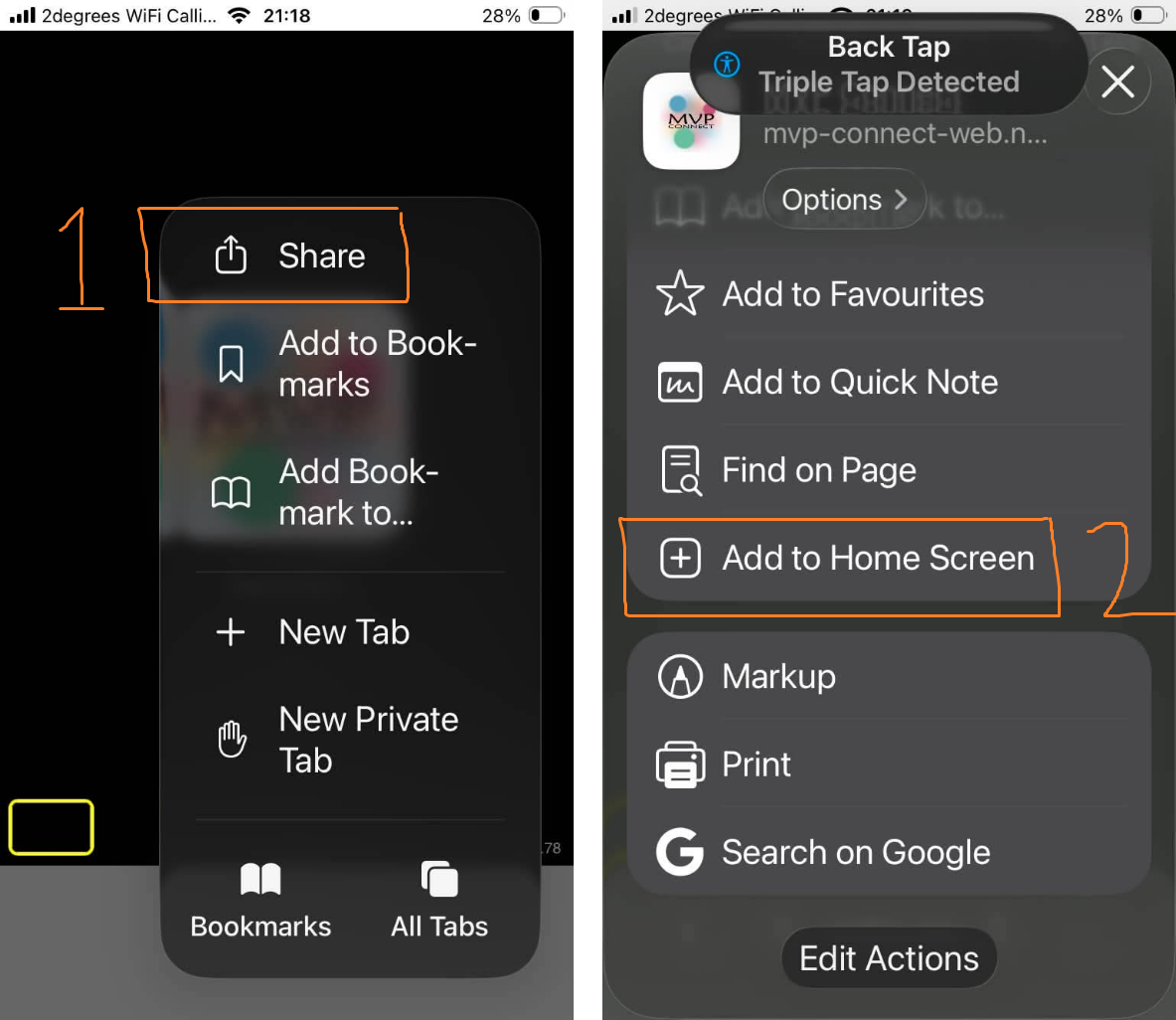
iPhone
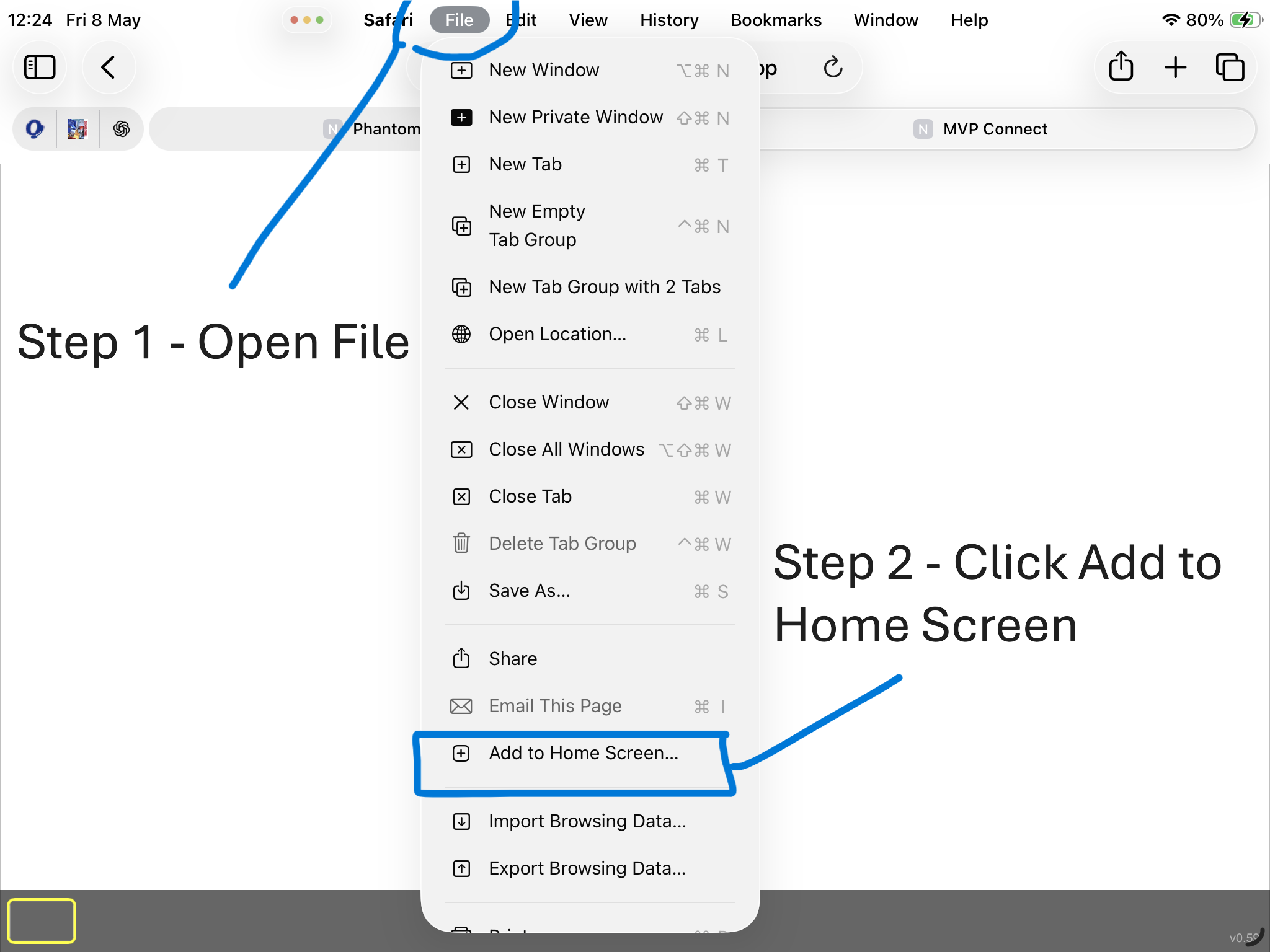
iPad
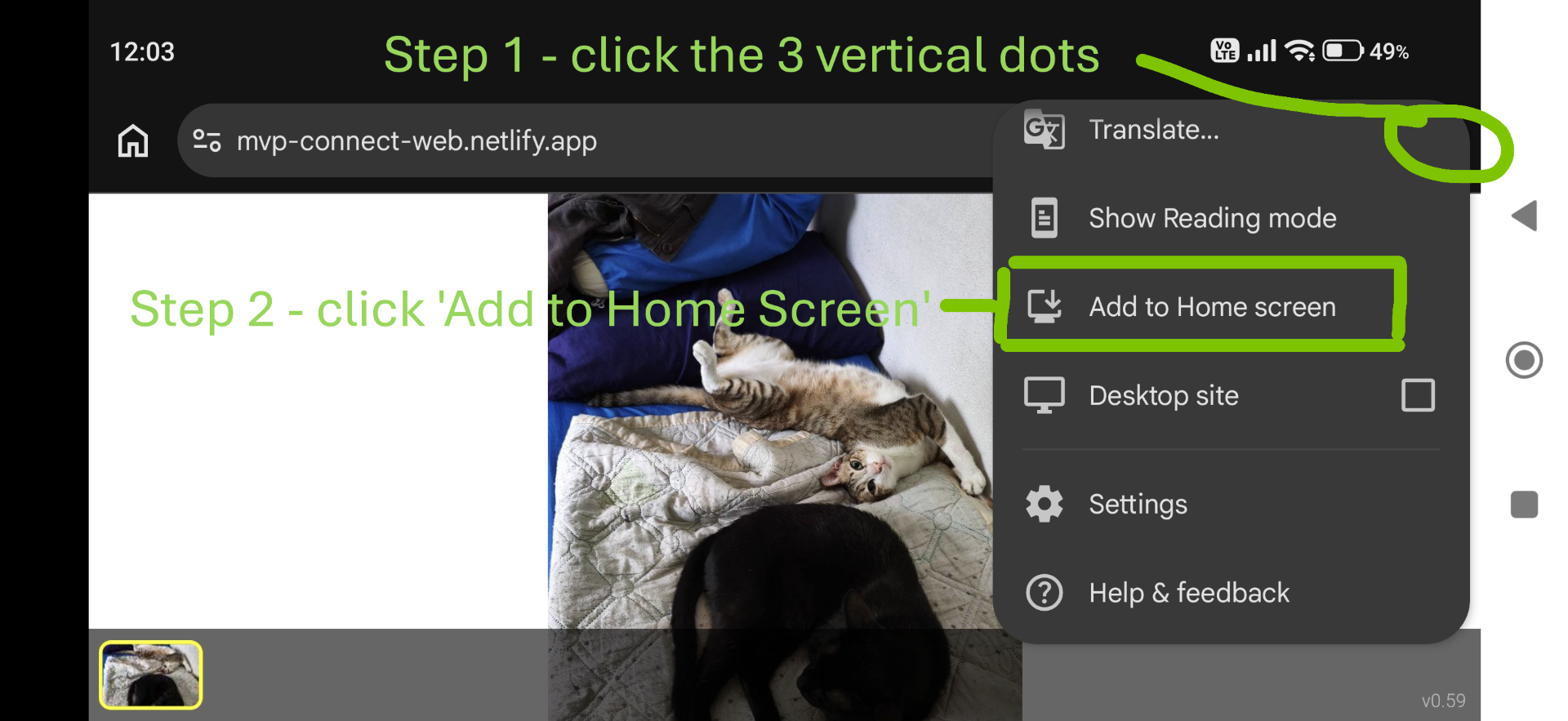
Android
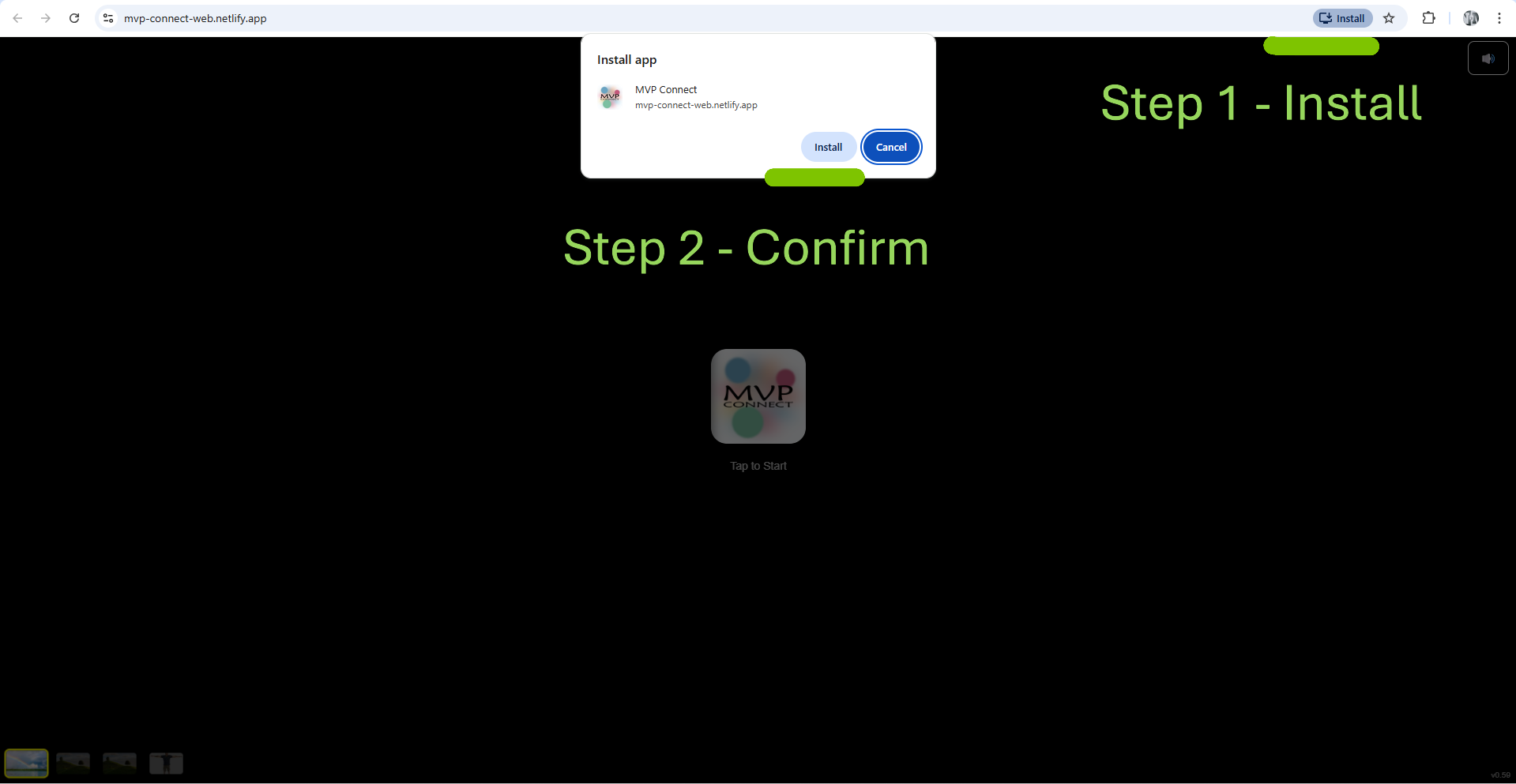
Windows
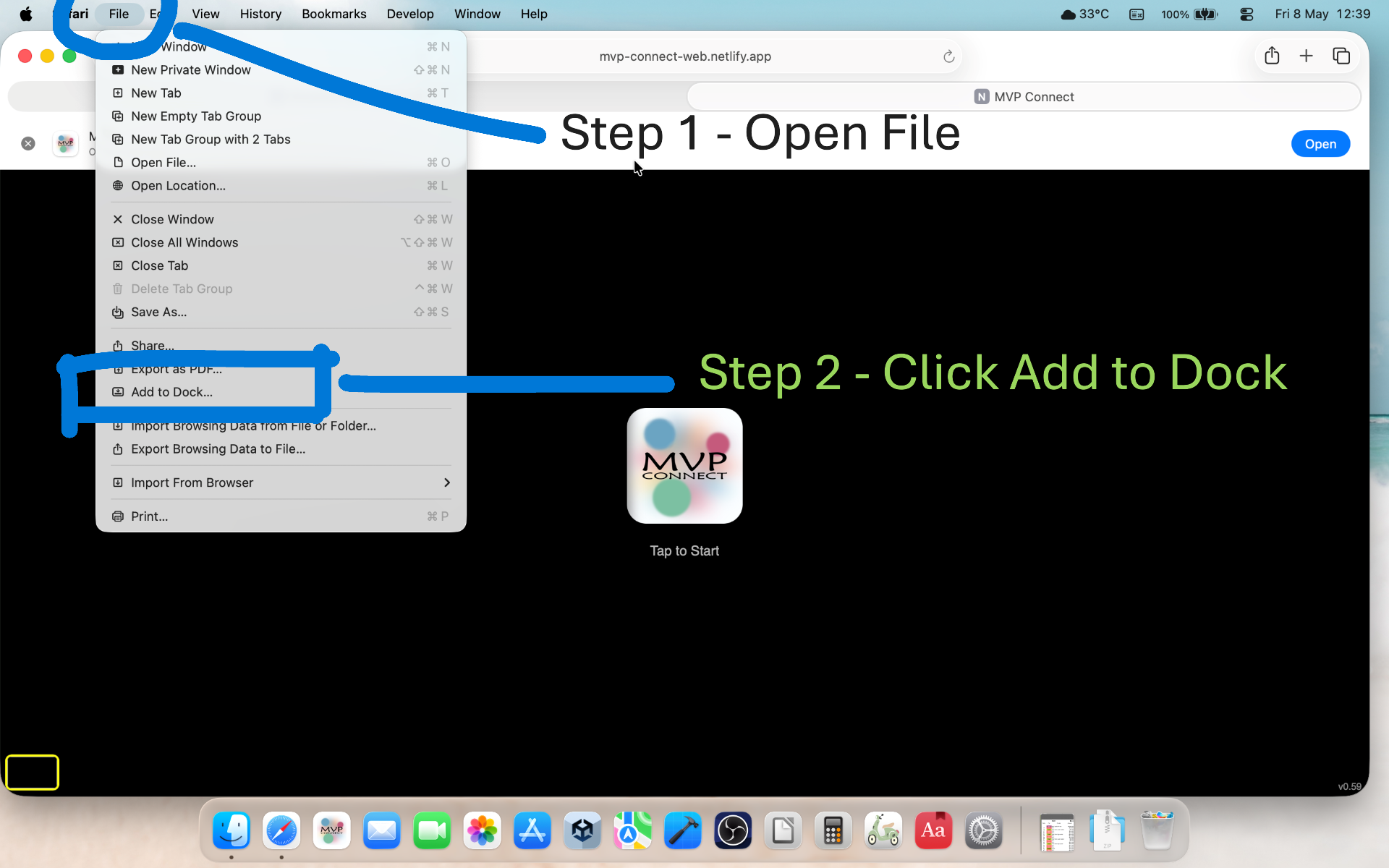
Mac
MVP Connect runs directly from your browser, so there’s no App Store download required.